
Closed
Solved
Modify column width in data table
Someone created a data table that has a large column width for a field that requires fewer than 16 chars. I'd like to change the current setting so that the column width is smaller.
For example, here are the columns:
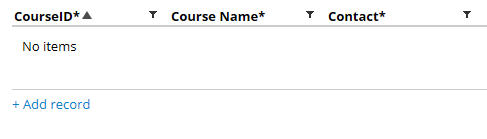
When you add a record, you are shown this:

You cannot see the Course Name column unless you scroll to the right. The CourseID will typically be something like C-543 and will never need more than 16 chars.
I have tried to edit the List and EditList rules but these have no effect. I have searched PRPC help, the Mesh and the PDN - I cannot find anything on this topic.
Any input would be appreciated.
Accepted Solution
Posted: 9 years ago

PEGA
Pegasystems Inc.
US
Posted: 9 years ago

Pegasystems Inc.
US
Thanks Mahesh - that solved the problem!
Hi Sean,
I had created a sample Data type in v7.1.9 with few columns and I tried to set the column expected length as 500 to test your behavior as follows:
1. Initial display of my Record addition in my data type is shown below,
2. Now open the column property by using the LiveUI as shown below,
3. Now I had initialized the EmpId property “Expected length” as 500 to increase the width of my column,
Hi Sean,
I had created a sample Data type in v7.1.9 with few columns and I tried to set the column expected length as 500 to test your behavior as follows:
1. Initial display of my Record addition in my data type is shown below,
2. Now open the column property by using the LiveUI as shown below,
3. Now I had initialized the EmpId property “Expected length” as 500 to increase the width of my column,
4. Now refresh the Data type and try to add a new record in it to see the change in column width as shown below,
So by using the “Expected length” field of the property we can adjust the width of our property column. Hope this explanation will help you to resolve your issue.
Regards,
Mahesh