
Question

Shuurgan
Shuurgan
CN
Shuurgan
Posted: Jun 11, 2025
Last activity: Jun 12, 2025
Last activity: 12 Jun 2025 21:40 EDT
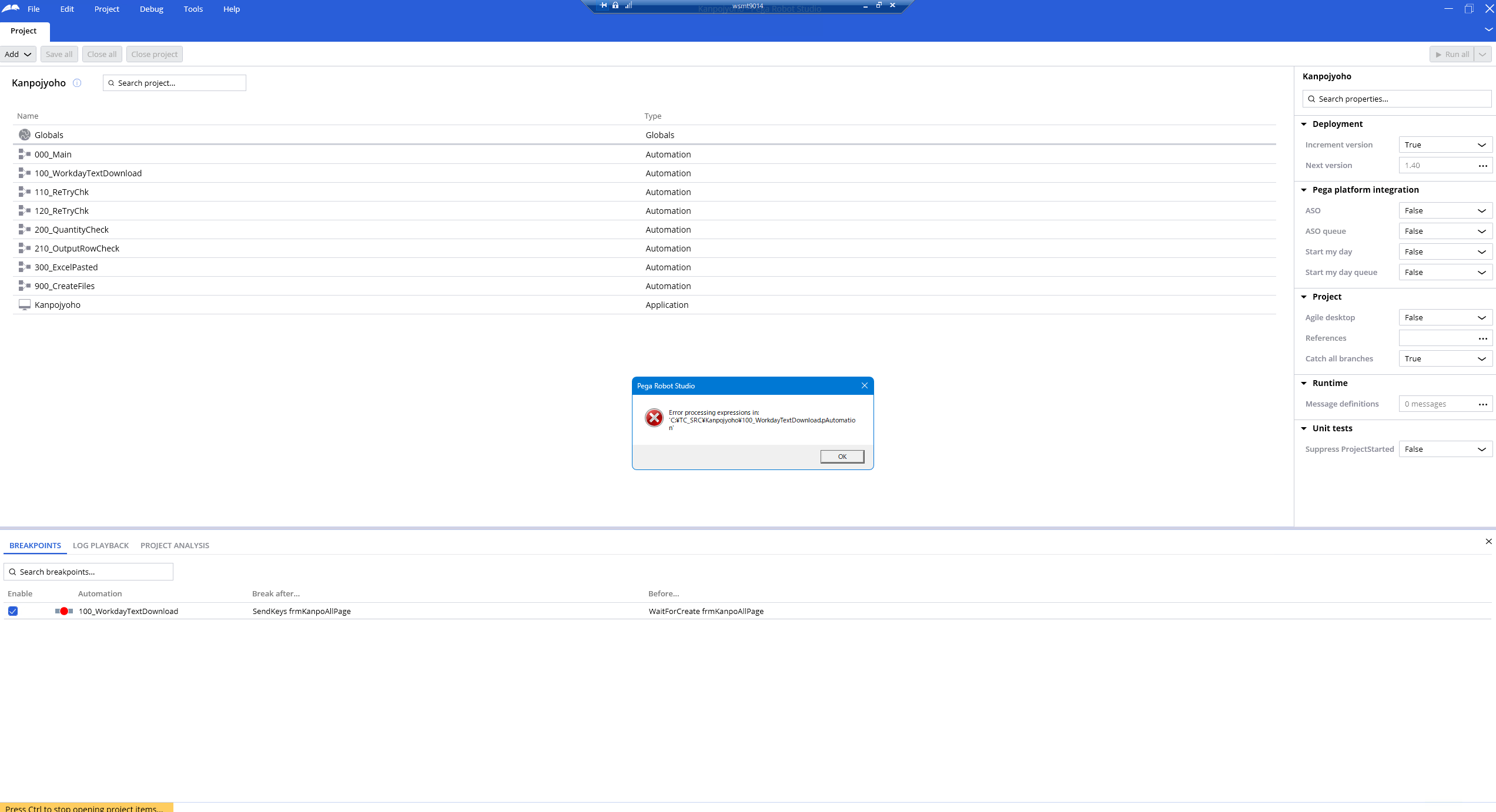
pega RPA error
I've had RPA force close due to lag while executing, and then the next time I log in I get this ERROR and I can't see all the stuff I've done for that project. Opening other projects is no problem. Is there any solution for this please?
Posted: 11 months ago

MOD
Pegasystems Inc.
US
Posted: 11 months ago
Shuurgan
Shuurgan
CN
@ThomasSasnett Thank you. Is there anything I need to prepare on my end?
BAO
Posted: 11 months ago
MOD
Pegasystems Inc.
US
@BAOX17175074 I would just back up your project before editing any files.
@BAOX17175074It appears something has been corrupted in that file. I would look at the StudioLog as it may point to the specific component. You can then search inside the .Pega file and potentially delete that component to preserve the rest of the automation. Of course, before you edit any files, be sure to back up the file and the entire project first.