

Using your Pega Account Profile to set up Alerts and Emails
Pega continuously works to improve client communication processes. As such, we have expanded the available tag sets to allow you to get notified whenever new content is posted to the Pega Support Center.
On your account profile, you can manage alerts and email notifications relevant to your field of expertise and requirements.
There are two ways to get notified:
- Specific ‘Instances’ of content you ‘Follow’ or ‘Subscribe’ to (Pega Support Center, Pega Forum, Pega Academy)
- Notifications based on ‘Tags’
This document will only describe the latter method of receiving notifications.
Instructions
If you want notifications on newly published or updated content, create tag sets using the Tag Set Builder to get notifications driven by product, capability and industry tag.
1. First, you want to make sure you are logged into the Support Center (or any Pega Community site - Pega Academy, Partners, My Pega, etc)
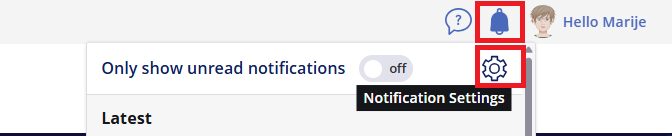
2. Hover over the bell icon in the top right-hand corner and click the gear symbol top open your .
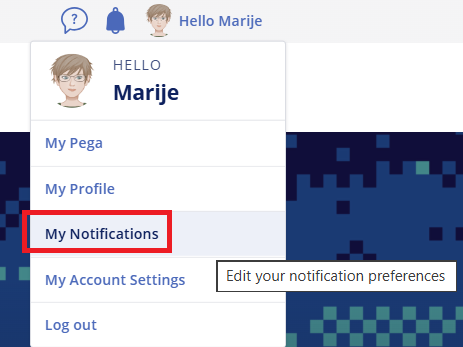
3. In scroll down to the section of the screen.

4. Click on button at the bottom of the screen. The Pega tag set builder workflow window is displayed.
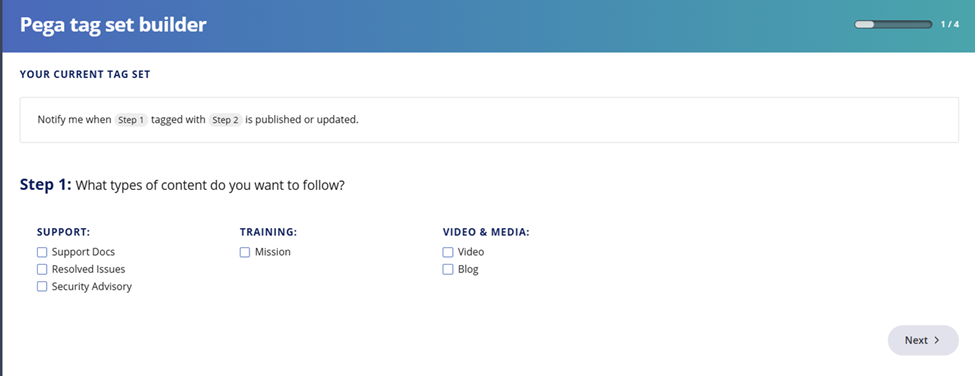
5. In Step 1 users can choose what types of content they want to follow. In the section you can select one or more check box options, including Support Docs, Resolved issues, and Security Advisory. Support Docs cover a large range of topics, whereas Resolved Issues and Security Advisory are more specific and these can also be found grouped together on the following Support Center landing pages:
For details on and content, see the Community FAQ pages.
6. Select to move to step 2 of this workflow: Under dropdown specify which tags you are interested in. These tags apply to Support Center content. You can also choose to follow Product, Capability, and Industry here.
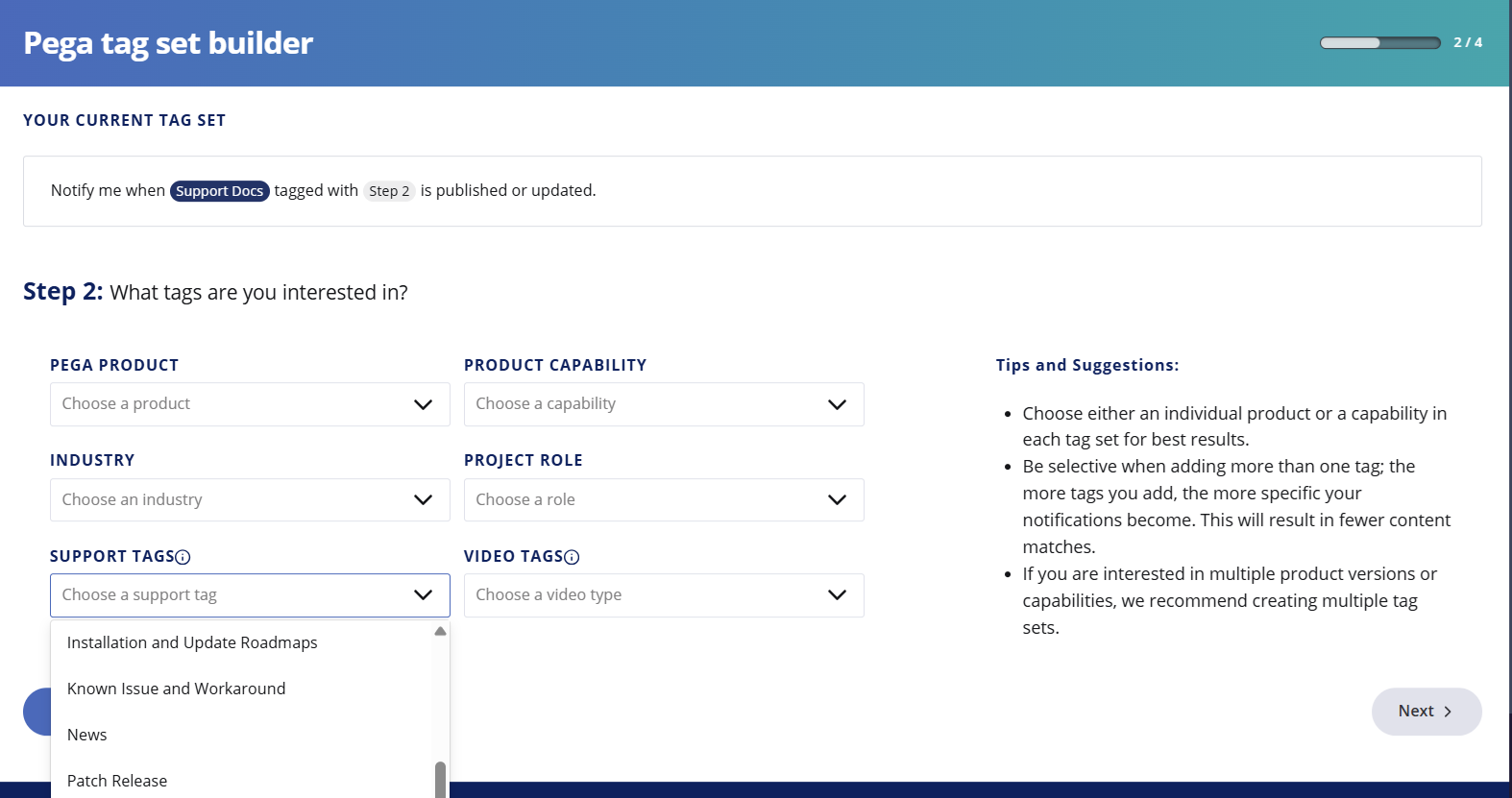
7. Select the required tag(s) from the from the Support Tag dropdown. These tags apply to the Support Center only.
8. Select to move to step 3 of this workflow: Specify how you wish to be notified.
There are 2 options:
- Notification feed – to view real time alerts when you log into the support center
- Email – to receive a weekly email digest that includes all of your matching tag set content
You may choose one or both options.
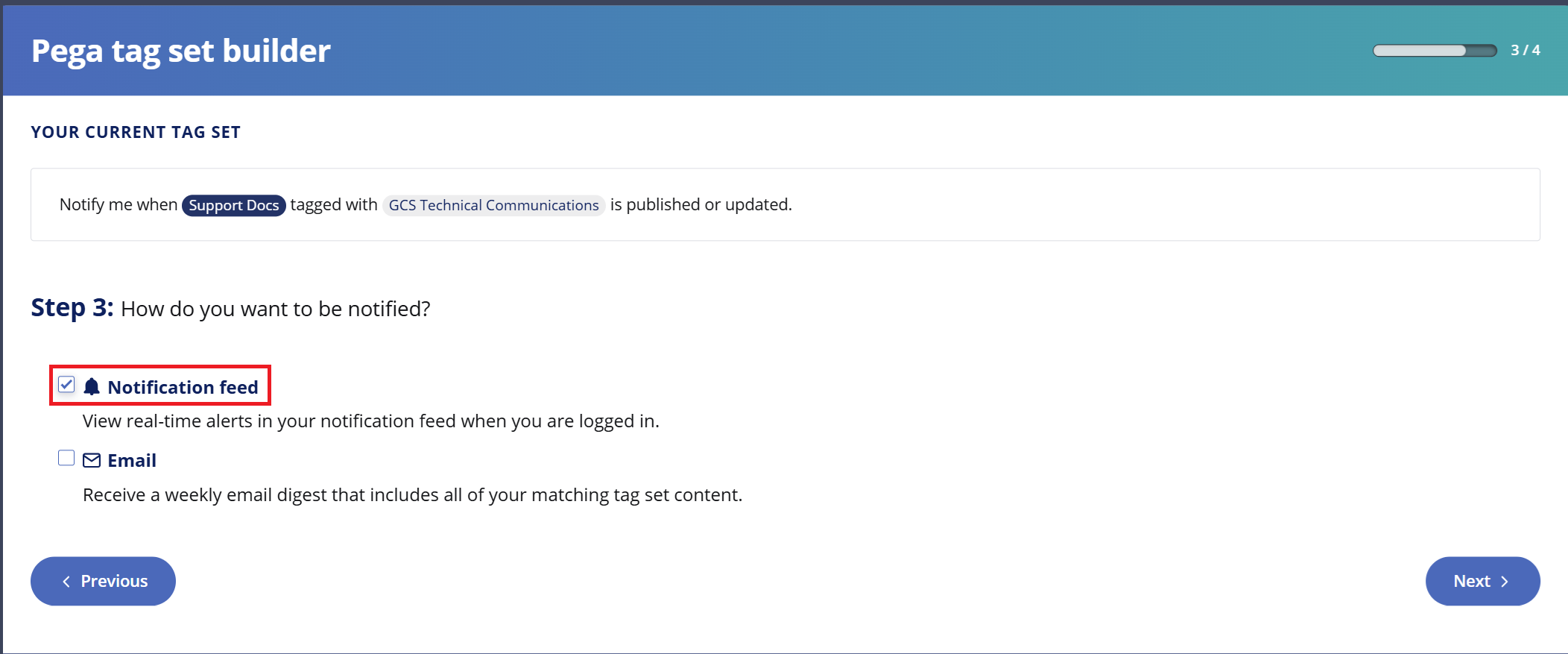
9. Select to move to step 4 of this workflow: Name and Save your tag set.
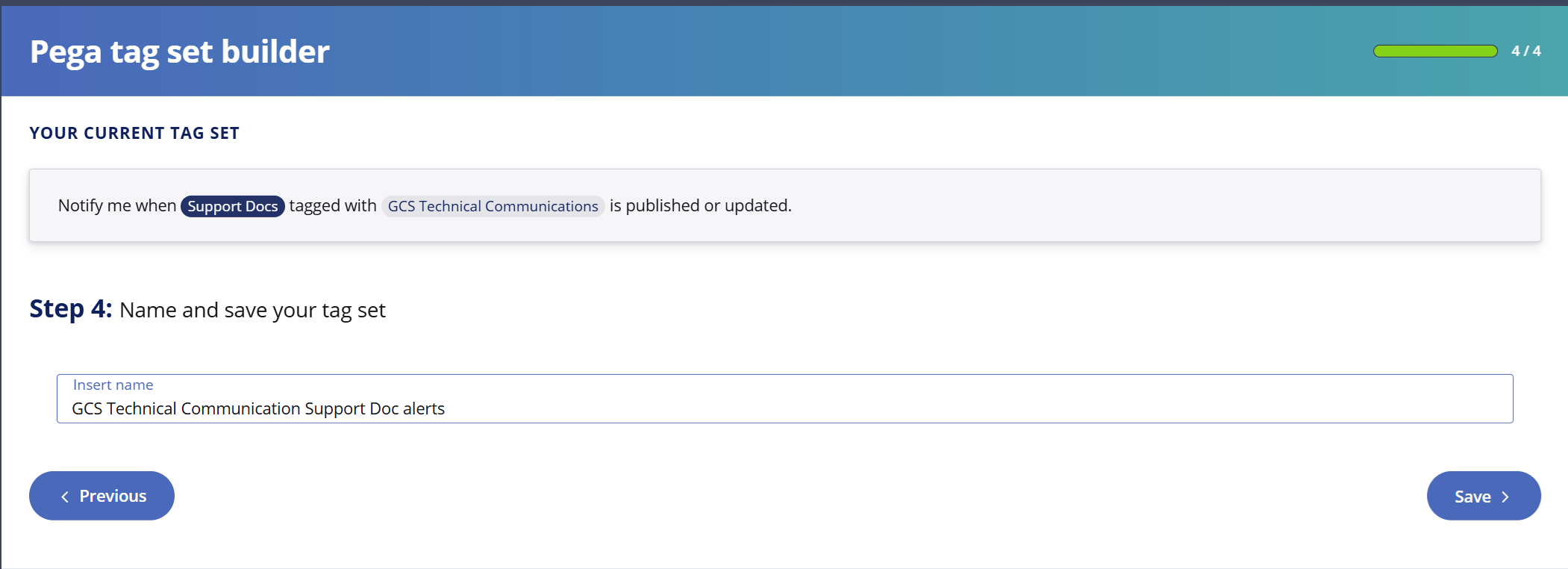
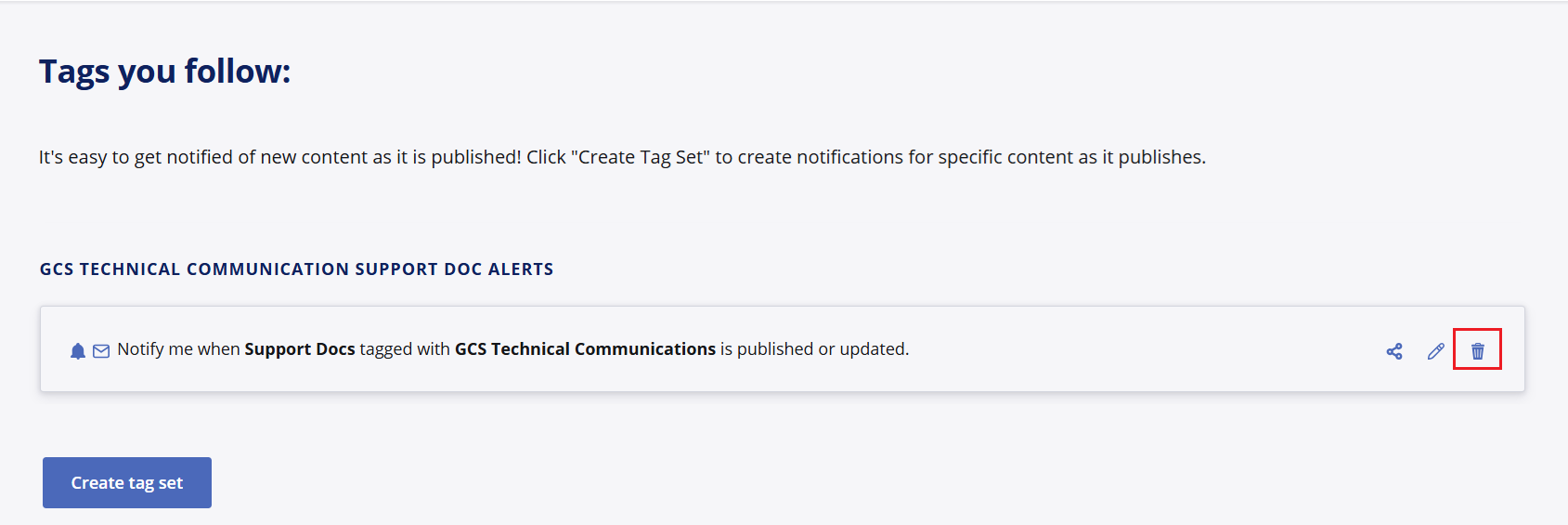
10. Enter a name for your tag set in the freeform text box and select . Your new tag is added to your list of existing tag sets in Tags you follow.
At any point if you wish to stop receiving a particular Notification active on your account, you can go into your menu, scroll down to section 'Tags you follow', find the name of the notification which is sending you emails or posting alert bells and click the 'Delete' icon.
Current Support Tags
Please subscribe to the following tags to receive Notifications on the related topics. You can subscribe with one click using the links below.
| Tag | Communication |
|---|---|
| GCS Technical Communications | All Support Communications posted to the Support Technical Communications page. |
| Extended Support | Support Communications posted to the Support Technical Communications page specific to Extended Support Reminders. |
| Third Party Vendor Updates | Support Communications posted to the Support Technical Communications page specific to Third Party Vendor Updates. |
| Reported Issues | Content related to Known Issue documents with a specific Product Release target. You can find the collection of announcements on the Pega Platform Targeted Fixes landing page. |
| How To | Content related to troubleshooting pega known issues. This tag is not used in a consistent manner as the Support Docs content category covers most troubleshooting topics |
| Installation and Update Roadmaps | Support Docs which specifically cover new Pega Platform release notifications. |
| Known Issue and Workaround | Issue‑specific documentation describing a confirmed error or product limitation that can cause failures or support tickets |
| Patch Release | Announcements in the style of Support Docs which share the availability of software on the My Software Portal. An overview of all announcements can be found on the Support Center Search page. |
| Pega Platform Release | Similar to Patch Release, this tag is not used in a consistent manner, but will be seen on content relating to the availability of software on the My Software Portal. |
| Support Policy and Procedure | Content related to processes used to get Support, including content like the Pega Client Handbook. |
| Troubleshooting | Guidance-oriented documentation: how‑to, troubleshooting, tips, FAQs, best practices, design guidance. |
References
Best Practises for building Tag Sets
For more information, see Pega Account & Notifications Frequently Asked Questions > Tag Sets
About Notifications
For more information, see Pega Account & Notifications Frequently Asked Questions > Notifications