
How can we add another primary key for a table in pega?
How can we add another primary key for a table in pega?,what are the things to be taken care if we add another primary key to a table and how to deploy it
***Edited by Moderator Marije to change type from General to Product, added Product details and Capability tags****

Maantic
IN

Cognizant
IN
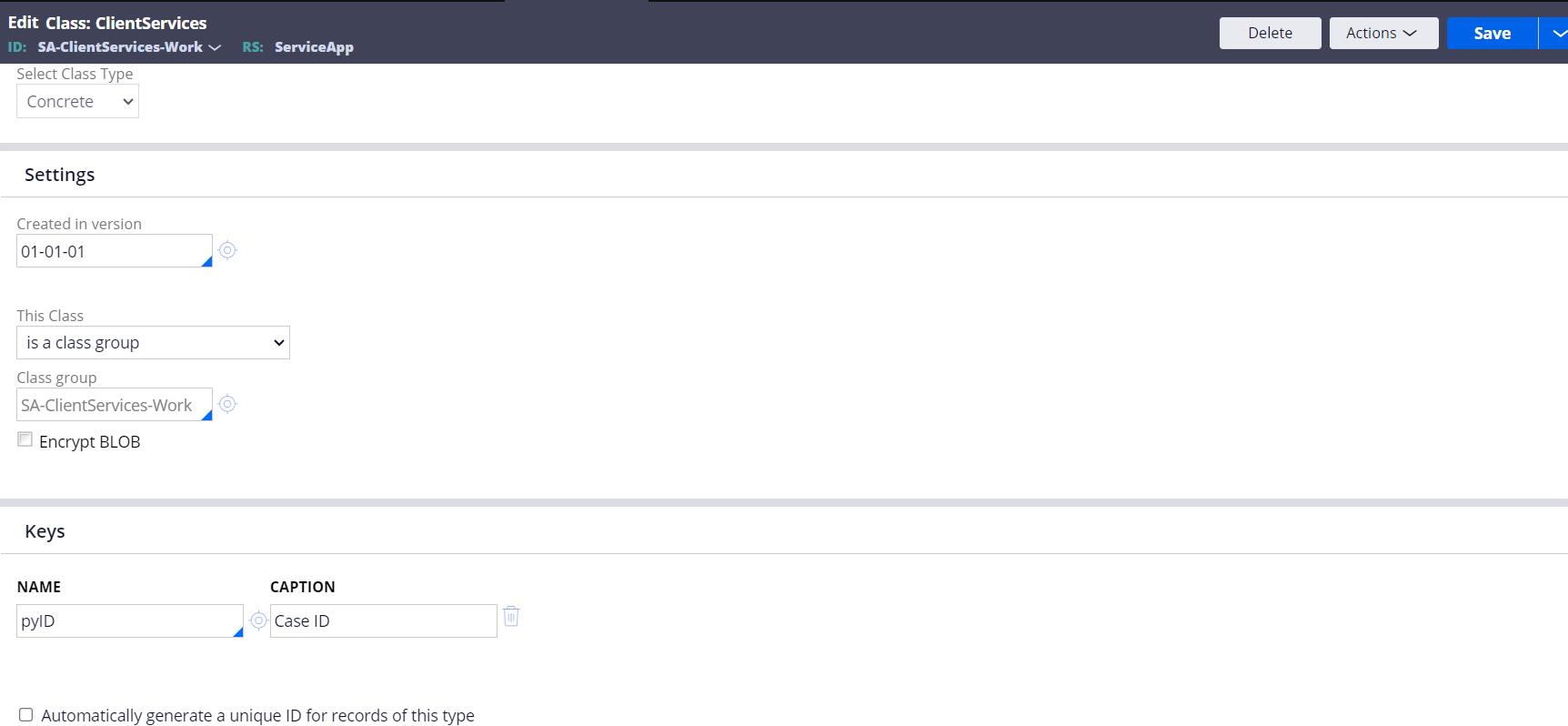
@Anantha Nag K I am attaching a screenshot of work class,so usually here we can add another key?But in my application I cant see an option to add another key here?
And after adding how to deploy the change?and how to manage the inflight cases?
Cognizant
IN
@Anantha Nag K but how will we manage the existing cases and how will we deploy it?
Maantic
IN
That's where it's complexity obviously you will have to truncate if the application is not in prod, but if it is in prod you would have to take back up of the table and then truncate and change primary key. Later when you import all the data again into the table make sure all attributes of the primary key has values for all records.

NAB
IN
@TanyaS58
Additional of one more key into a table can be done via class rule in conditions of :
1. No records should present on table
2.Key should be unique from past added column/property name.
@TanyaS58
Strictly applicable for concrete classes in pega.
In pega after creating a data model / type there is an option to add keys on the class rule on General Tab.
There you can add attributes that are part of primary key. If it's a single attribute it will be single field primary key, if more than one attribute added it will be composite primary key. Now this can be done only right after creating a table and no data instances / records created in that table. If there is an instance to change the Primary key we need to truncate the table and then change the primary key.
For Work class - class group this will be a bit complex but more or less same approach.