
Question

IN
Last activity: 10 Nov 2025 17:47 EST
Certificate is not showing in Verify Certificate page
Hi
My pega certificate for CPBA 23 is not showing in Verify Certificate page when I search with email or name.
I have given exam on 05/May/2024, Candidate ID : XXX
My email id is also same on Person VUE account and pega.
Accepted Solution
Updated: 3 Jun 2024 4:01 EDT

Pegasystems Inc.
US
Hi @Akash Jogiya
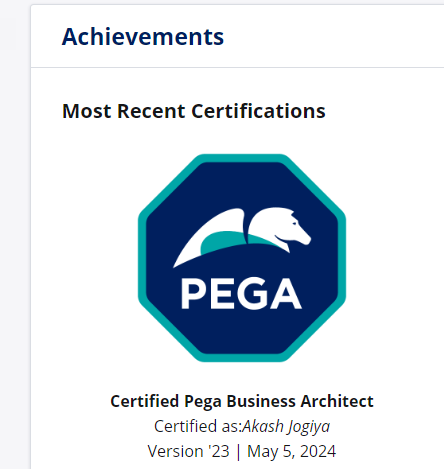
I do see your badge displaying on you profile and when I entered your email address into the Verify Certification page, a link to your Profile appears but it is confusing. The more prominent message is "no certifications are found" Which again is confusing.
Good news, you definitely passed and that is shown on your profile. Do you mind filling out this form so that our team can create a ticket to look into this for you? Let us know if you need any other help or if no one replies!
Updated: 29 Oct 2025 10:25 EDT
Centene
US
Hello Pega Team,
I have completed my Pega certifications — CSA, CSSA, and CPBA — but I am unable to see them on the verify certification portal when i do a search by First name and last name or email ID. I have attached all my certifications
Could you please help me resolve this issue?
Name : Vikesh Kumar Podilapu
Registered email while taking certifications same as Proprietary information hidden ,
Proprietary information hidden
Pegasystems Inc.
US
Hello @VikeshP23
This account is using your email address that ends with centene.com email address. The 2 email addresses you shared in your reply above are gmail addresses. Your accounts will need to be merged in order for your certifications to display in this profile. Please review our Where is my Badge PDF for next steps.
Thank you,
Updated: 29 Oct 2025 10:45 EDT
Centene
US
@MarissaRogers : Thanks for responding but i want to merge to my GMAIL address when i search with my name or gmail id search i cant able able to see any of my certifications and I have submitted multiple tickets on this request with my gmail but havent got any update
Pegasystems Inc.
US
Hi @VikeshP23
Great! There is a section in the PDF that states:
"If you have multiple Pega accounts, and you want all your achievements to display under a single Pega account, contact us to merge your Pega accounts."
You can use that link to request a merge of your accounts.
Hope that helps!
US
@MarissaRogers : Hi, I followed the steps but when i verify its not allowing to go for next steps i used my both gmail id's its showing a pop up already have pega account after entering email and password in the link above shared. Can you merge my certifications to my GMAILID and its still not displaying any of the certifications when i search with my GMAIL ID.

Pegasystems Inc.
US
Please take a look at our Pega Account FAQs and there will be steps for you to merge your account.
US
@MarissaRogers : I tried the Merge Account from link you shared . are you able to find my certifications from your end .if yes what is the search you are doing

Pegasystems Inc.
US
I'm sorry I do not have access to that. If you haven't already, please email that support email address that you shared in your above reply.
US
@MarissaRogers I submitted multiple tickets to Pega support team but no one responsed for those tickets
Pegasystems Inc.
US
Vikesh, just to confirm you want to merge your VikeshP23 (company email) account into VikeshP17267821 (gmail email)?
US
@MarissaRogers I want to try to merge my other gmail ID To this Pega Gmail account . So certifications which I wrote can be visible to this account

Pegasystems Inc.
US
Hi @VikeshP17267821,
See our Account Management FAQs to learn more about how to merge your Pega accounts.
From there, you can contact the Pega Accounts Support team.
I recognize you said you submitted a support request already, but I do not see any support requests submitted by you using this profile. To be clear, we cannot discuss PII with you about any email (Pega account) except for the email address you send from.
US
@eddie.jm : Thanks for reaching me i again resubmitted my question contact us in the above comments where Marissa shared me the link
https://academy.pega.com/contact?iwant=account_issue
by using above link i submitted the issue . Can you check are u able to see it now