
Question

HCL Technologies
PH
Last activity: 7 Nov 2019 13:52 EST
I am unable to compute for the total amount given rent days and cash value
[Using Pega 8.3 Personal Build]
Hi,
I am making a booking application that allows users to book a room.Given a date range, the total amount of booking days is computed. However, I am unable to compute for the total cost of the booking given the booking days and a constant set price for a chosen room.
How can I make it compute for the total cost of stay?
I have already set-up the computation for the total cost (.TotalBookedDays*.RoomInfo.Rate. The only problem is it does not reflect in the UI
[Using Pega 8.3 Personal Build]
Hi,
I am making a booking application that allows users to book a room.Given a date range, the total amount of booking days is computed. However, I am unable to compute for the total cost of the booking given the booking days and a constant set price for a chosen room.
How can I make it compute for the total cost of stay?
I have already set-up the computation for the total cost (.TotalBookedDays*.RoomInfo.Rate. The only problem is it does not reflect in the UI
I have attached screenshots for reference.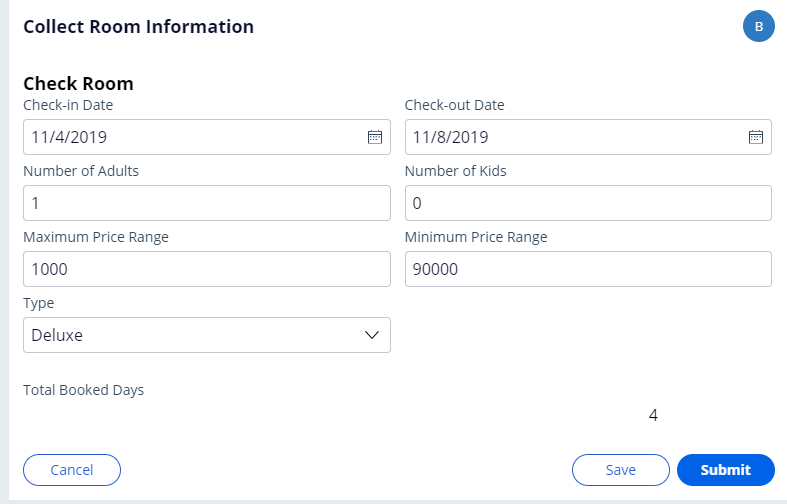
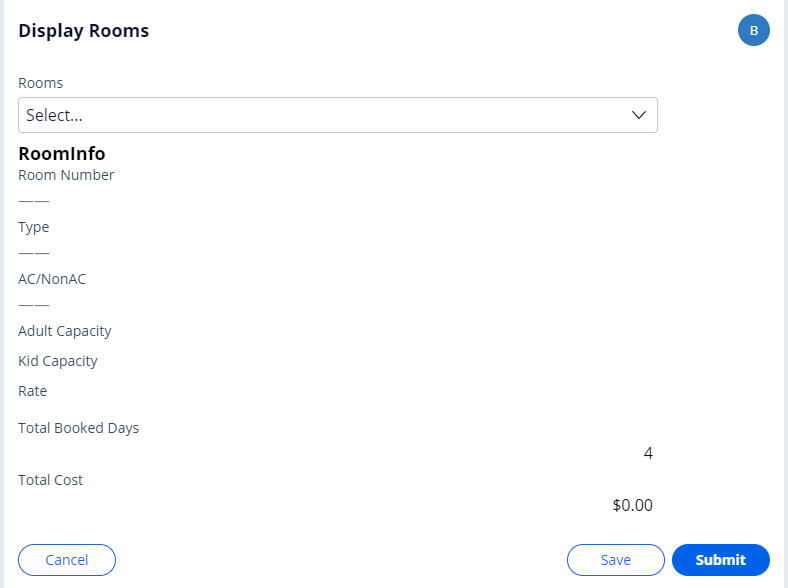
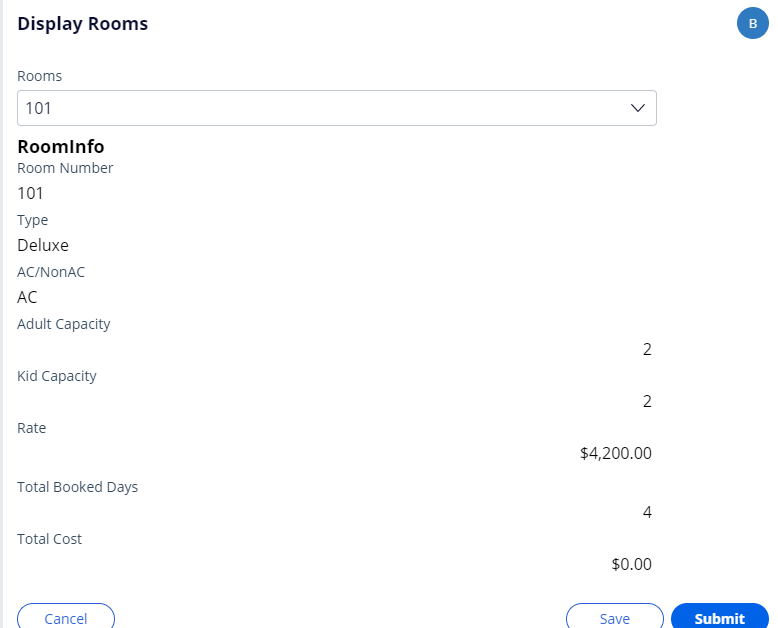
Pegasystems Inc.
IN
HCL Technologies B.V.
NL
You can go with declare expression
HCL Technologies
PH
The equation runs fine but it seems that the "rate" value is not being called. Checking the clipboard, the value for the rate is not displayed. How can I solve this?
Pegasystems Inc.
IN
Can you please give more details on this please ?
How do you find that equation runs fine ? , Did you trace the scenario and see the equation runs fine ?
How do you implement the equation in your scenario ?
Please trace the scenario with "Stream rules" on in tracer setting and upload the tracer, that way we can see whats going wrong when executing the rules in sequence.
Thank you,
Regards, Cherb.
HCL Technologies
PH
This part is a section called in the UI
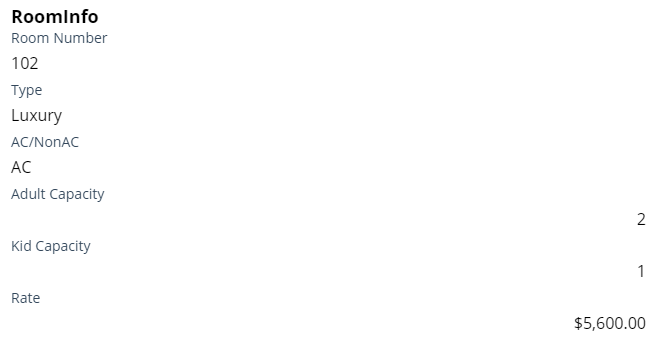
This is the whole page
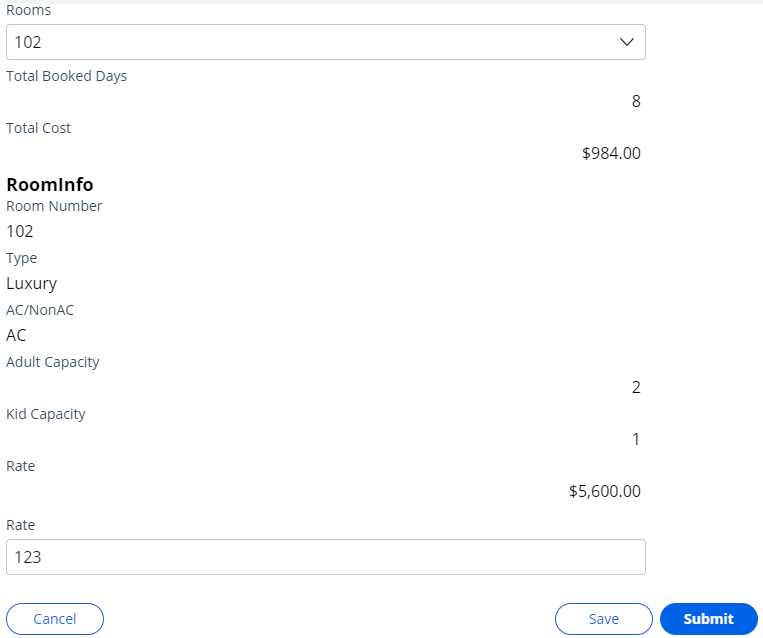
Note that I just called the rate into the page. Both of them are the same but in different sections. The first rate is in the subsection while the other is outside. I set the rate to be editable to check. Note: I have also checked if it is in read-only mode, no value is presented. So the reason why it doesnt compute is that the rate value has no value. I typed a value manually and the total cost computed. How can I call the value of the rate on the main page
Pegasystems Inc.
IN
Hi @MiguelRichneyD,
I am still not clear on the implementation of the expression of its type and place. Please trace the scenario and attach the tracer here.
for the information on how to capture the tracer please use following link.
https://community.pega.com/sites/default/files/help_v718/tools/tracer/tracer.htm
Thank you,
Regards, Cherb.
Hi @MiguelRichneyD,
It seems the key here is where the set up of the computation (.TotalBookedDays*.RoomInfo.Rate) exist.
Is it in a data transform or a activity.
To achieve your requirement using data transform. I compose the computation as shown below
Create a Data Transform > choose set method and select target property > Then click on grear icon at end of row
The following screen will appear, click on the browse link
Hi @MiguelRichneyD,
It seems the key here is where the set up of the computation (.TotalBookedDays*.RoomInfo.Rate) exist.
Is it in a data transform or a activity.
To achieve your requirement using data transform. I compose the computation as shown below
Create a Data Transform > choose set method and select target property > Then click on grear icon at end of row
The following screen will appear, click on the browse link
Select math > MultiplicationExchange method as shown below, click on plus icon to get the method on work area
Compose the method with properties as shown below and click submit
It will be shown in data transform as shown below
Save the data transform.
Now, call the data transform on the change of the "Rooms" dropdown, Configure the action set as should be like "Refresh-this-section with Data Transform" or "Refresh-other-section with Data transform". Refresh of the section where total cost present in the key. Without refresh we dont see the computed value on the screen.
Hope this helps.
Please feel free to reply with questions if any.
Thank you,
Regards, Cherb.