
How to change background colour in portal header
Hi,
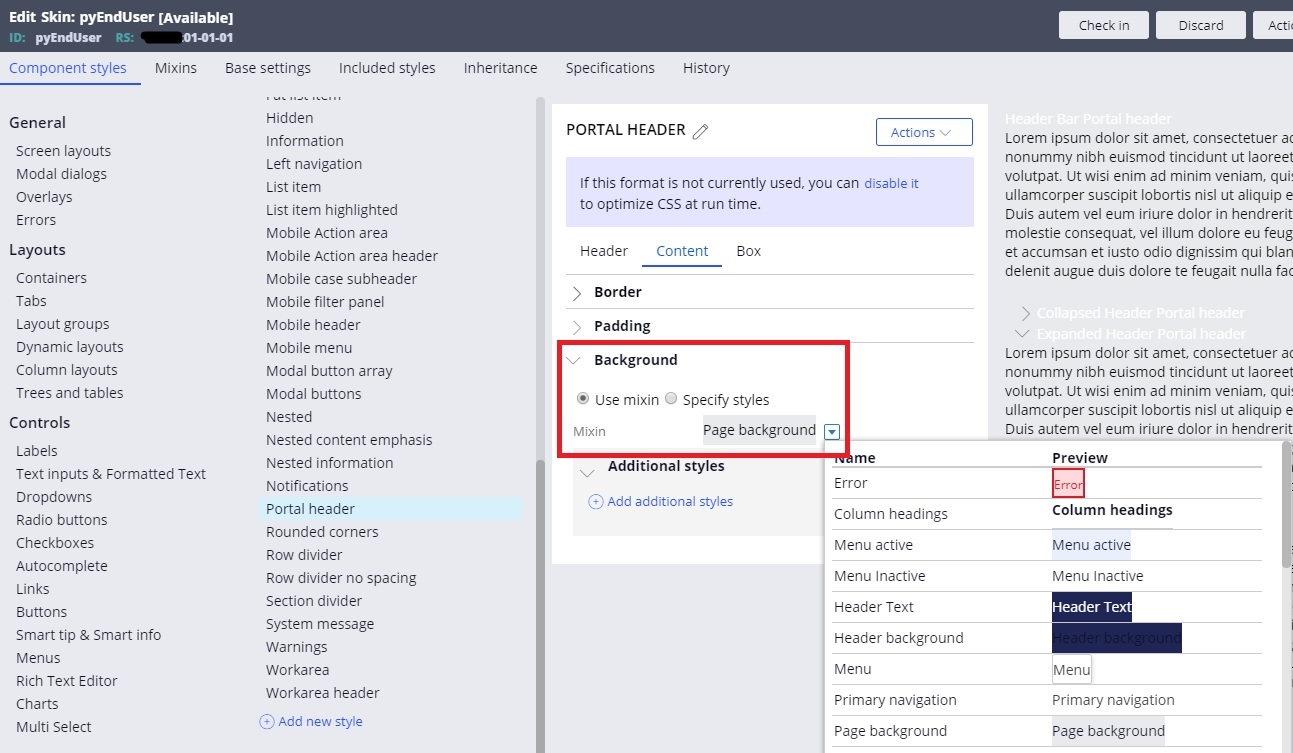
I have located the blue colour in portal header in a Skin rule and want to change it to our customer's corporate colour. Containers > Portal header > Content > Background:
When I change this "Mixin" I confirmed that the background colour is changed as expected. Now I want to specify a specific HTML colour code. I am not sure what this "Mixin" is, but where can I enter the HTML colour code? Or should I do that in somewhere else?
Thanks,
***Edited by Moderator Marissa to update platform capability tags***
Accepted Solution

Incessant Technologies
GB
Tata Consultancy Services
IN
Hi,
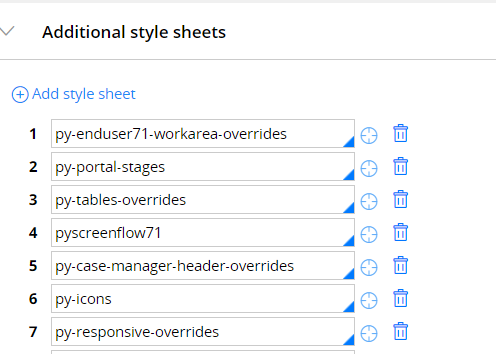
You can specify your colour code under Additional Style Sheets in Application skin.
Accepted Solution
Incessant Technologies
GB
Mixin is re-usable component with specific html attributes that can be used across your skin components(like layouts, headers etc..)
To create a new mixin.
1. Go to Mixin tab in your skin rule.
2. Under Backgrounds add a new mixin.
3. You can specify the hexadecimal colur code in there or select the required color from the color picker. save it. Refer my screenshot
4. Refer the newly created mixin in your portal header background mixin.
Another Approach:
Instead of creating the mixin you can also select the option "Specify Styles" (as shown in your screenshot). And then can specify all the HTML attributes there itself.
But creating a new mixing is a cleaner approach and is suggestable.
IT Solution Service
SG
Thanks for the clear answer. I was able to try both approaches and both worked. I will use mixin approach this time.
Thanks,

Pegasystems Inc.
IN
Hi,
Please refer to the below guide. It has a detailed information about mixin, its creation, deletion, etc.
The best way to give create a new mixin(which inherits from the current mixin) and then override as per your requirement.
Regards,
Rachit
Pegasystems Inc.
US
You're in the right place. The mixin is just a re-usable style that can be defined once and used elsewhere.
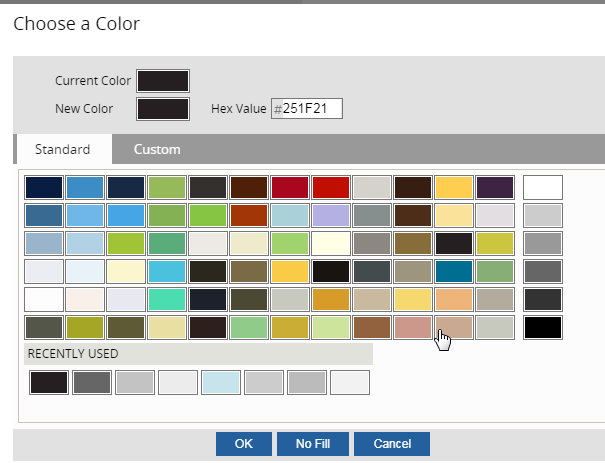
If you want a specific color or color code just for your portal header you can still do that. Just switch your radio and define your color here. You can use hex values or RGB as your requirement dicatates.
e.g.

You're in the right place. The mixin is just a re-usable style that can be defined once and used elsewhere.
If you want a specific color or color code just for your portal header you can still do that. Just switch your radio and define your color here. You can use hex values or RGB as your requirement dicatates.
e.g.

Mixin is re-usable component with specific html attributes that can be used across your skin components(like layouts, headers etc..)
To create a new mixin.
1. Go to Mixin tab in your skin rule.
2. Under Backgrounds add a new mixin.
3. You can specify the hexadecimal colur code in there or select the required color from the color picker. save it. Refer my screenshot
4. Refer the newly created mixin in your portal header background mixin.
Another Approach:
Instead of creating the mixin you can also select the option "Specify Styles" (as shown in your screenshot). And then can specify all the HTML attributes there itself.
But creating a new mixing is a cleaner approach and is suggestable.