

Closed
How to change the Tab icon in Customer Service application
Hi,
I'm trying to change the tab icon for my custom data source interaction, similar to how Account related interactions use a custom icon and label in Customer Service:

However, only the default task or check icon shows up for me:
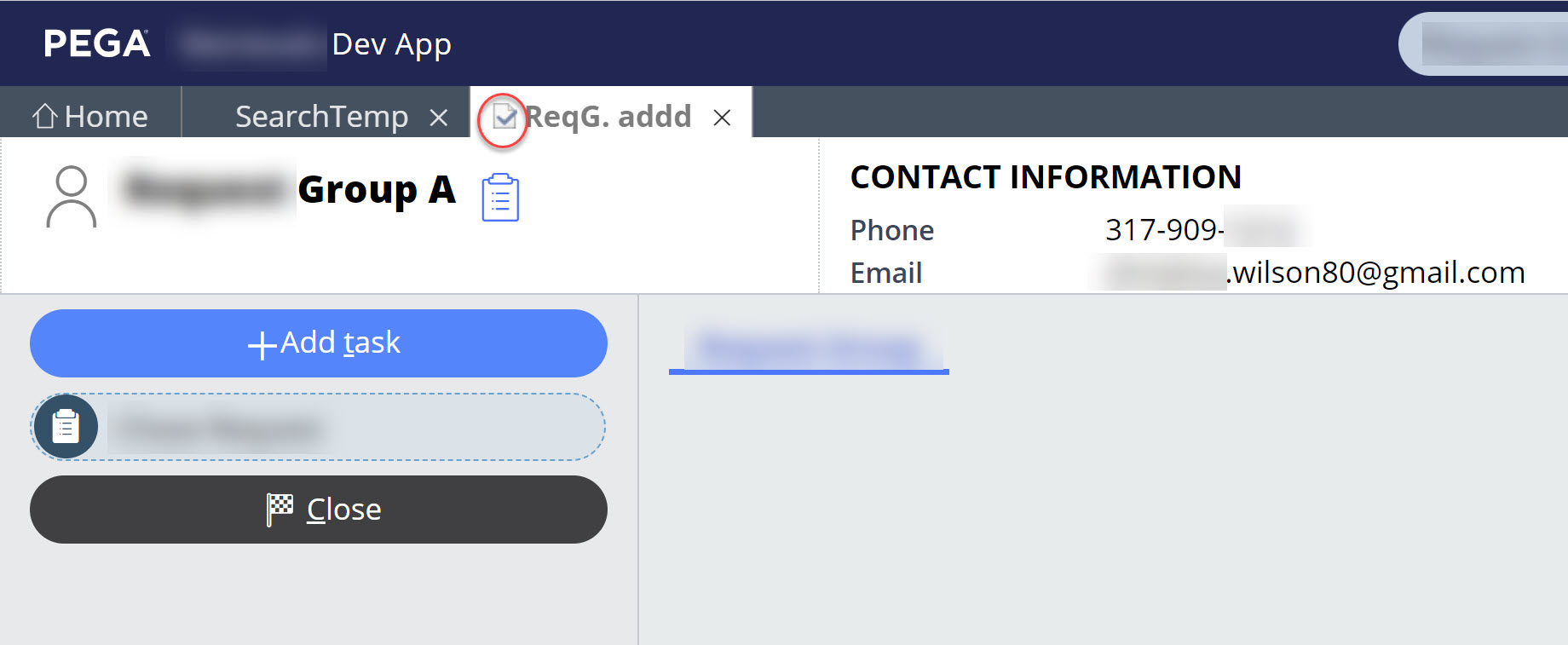
I have checked the clipboard for the following properties: (set in data transform "SetInteractionDetails")
- .CSTabTitle, I set the custom tab name, e.g., "ReqG. addd" but I noticed the tab did not pick the value, only if I set a declare expression on property pyDocumentTitle, then it works.
- .InteractionTabIcon, I have tried setting values used for ootb contact or account, e.g., "pcs-research-contact pi-tab-icon" or "pcs-research-org pi-tab-icon" but it does not work.
Thanks for any help on this,
-Jose
***Edited by Moderator Rupashree to add Capability tags***
To see attachments, please log in.
Posted: 2 years ago

PEGA
Pegasystems Inc.
IN
@josenavas
We need to modify it in the respective datatransform based upon the channel ,
If it is call interaction then we can make the changes in the SetInteractionDetails PegaCA-Work-Interaction-Call class , tab icon will come as phone call.
If it is a chat interaction , then these details are set in the SetInteractionDetails PegaCA-Work-Interaction-Chat class and setHeaderIcon DT. tab icon will come accordingly with respect to the channel (facebook or web messaging or sms) .
Thank you