
Right aligning buttons are not working
Hello,
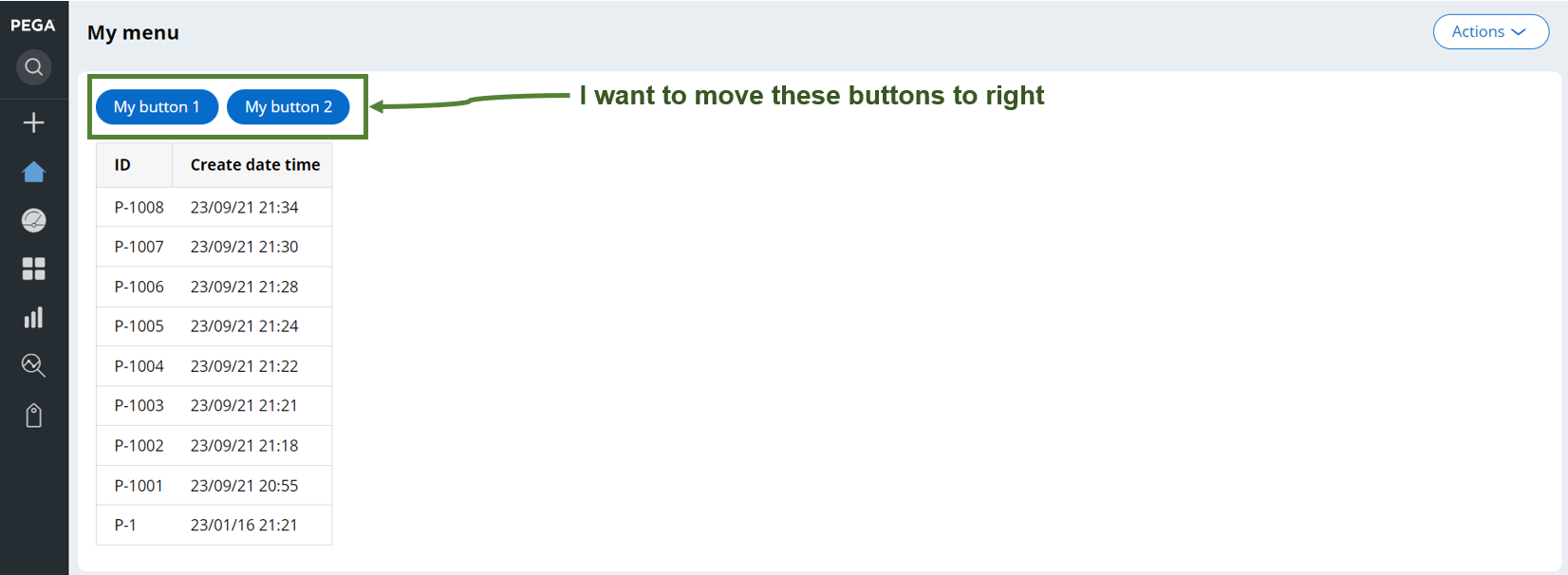
I am trying to align buttons to right, but it is not working as below screenshot.
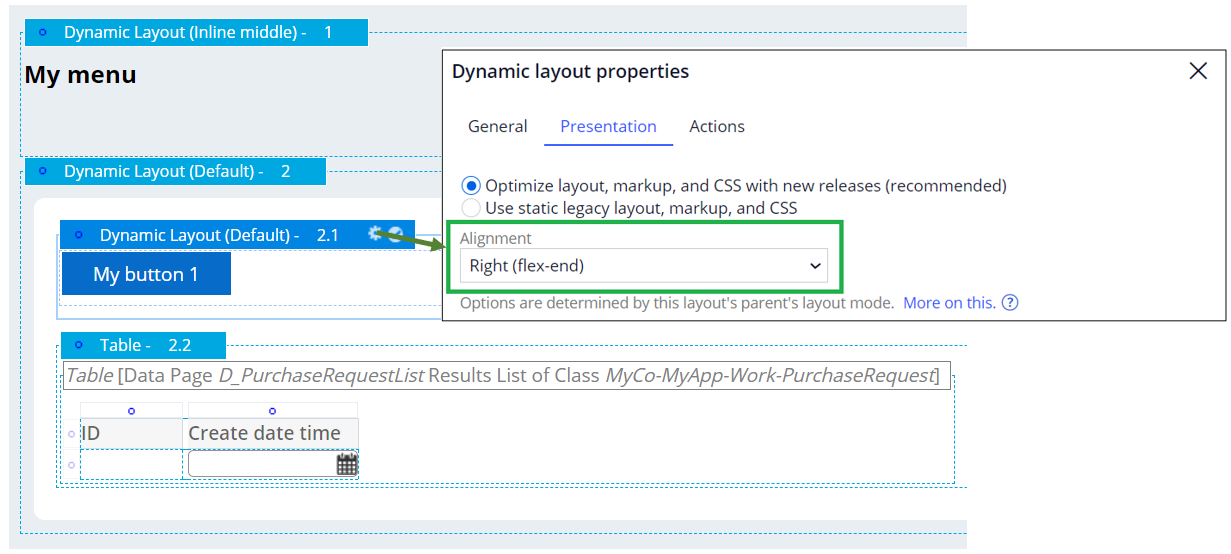
First of all, I was trying a single button. If dynamic layout is nested, I found Right alignment setting does not work. I know this setting works if the Dynamic Layout is top-level.

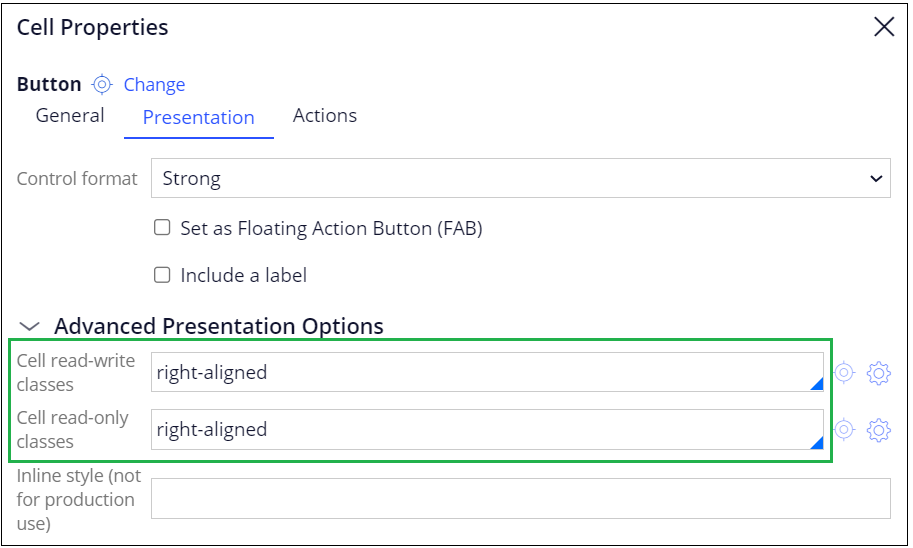
So, I tried another solution - instead of above setting, I configured right-aligned to cell read-write / read-only classes options in the Cell properties as below.
This solution worked for a single button as below.
Hello,
I am trying to align buttons to right, but it is not working as below screenshot.
First of all, I was trying a single button. If dynamic layout is nested, I found Right alignment setting does not work. I know this setting works if the Dynamic Layout is top-level.
So, I tried another solution - instead of above setting, I configured right-aligned to cell read-write / read-only classes options in the Cell properties as below.
This solution worked for a single button as below.

Now, my goal is to right align multiple buttons to right. I tried above configurations to two buttons after changing the layout format to Inline.
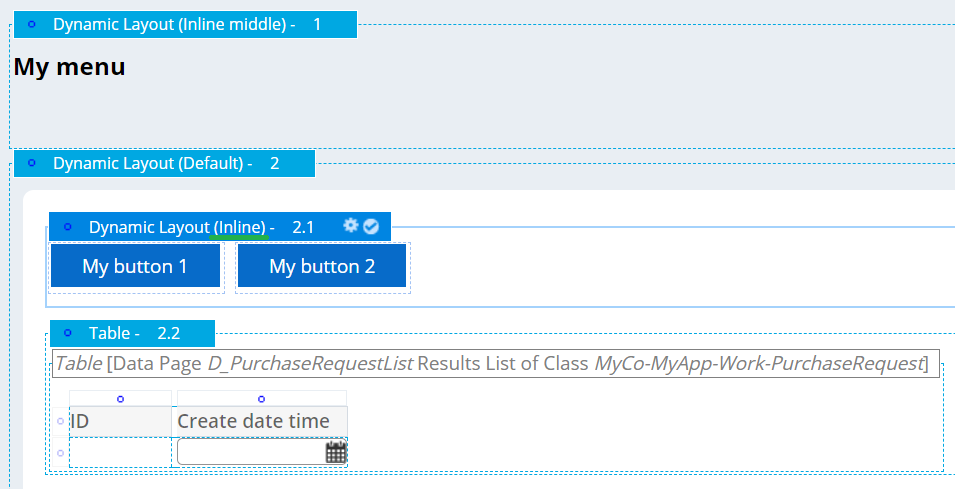
However, the alignment gets back to left.

Please let me know how I can right-align multiple buttons in a single row. Also, how are the settings in the first approach from Dynamic Layout and the second approach from Cell properties be distinguished? Which one is a better approach?
Regards,
Accepted Solution
Updated: 23 Nov 2023 3:52 EST

IT Solution Service
SG

IQZ Systems LLC
US
A simple solution could be check "Display header and title" in the outer Dynamic layout . 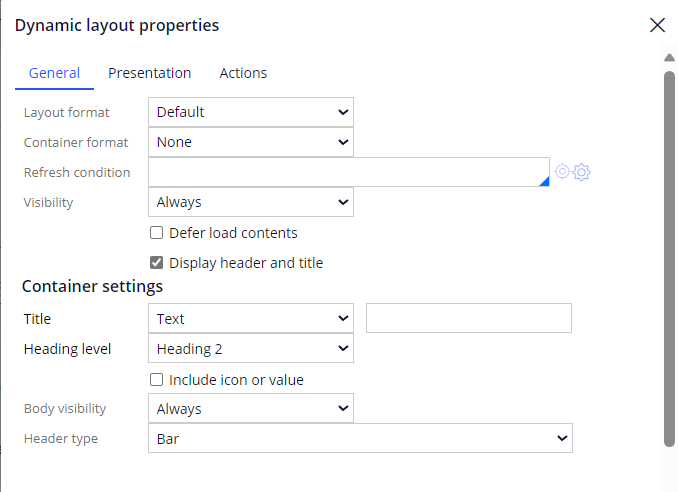
You can notice on the right side a layout is added. Include a embed section / control there. Highlighted in the below image.

IT Solution Service
SG
No, my question was how to place multiple buttons on the right. This approach provides a single space and two buttons can't be included unless we create another section, which is unnecessary.
Regards,

NCS Pte. Ltd
SG
Hi @CloeW938:
Can you check by creating a outer most dynamic layout with alignment as Right and later drag it inside your required layout.
Thanks.
Accepted Solution
Updated: 23 Nov 2023 3:52 EST
IT Solution Service
SG
Here are the experiments results:
- Pattern 1
1-1. Configuration
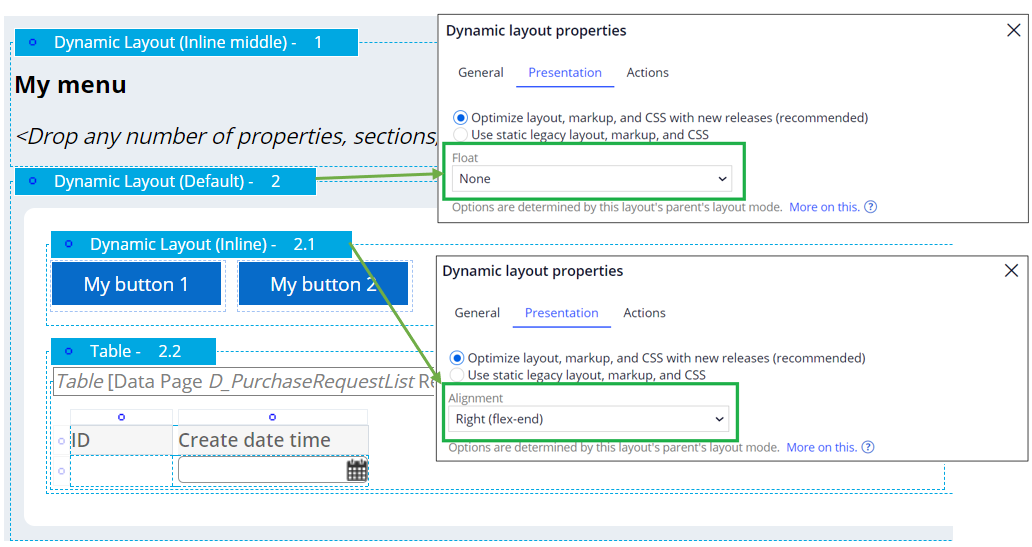
1-2. Results (Not correct)
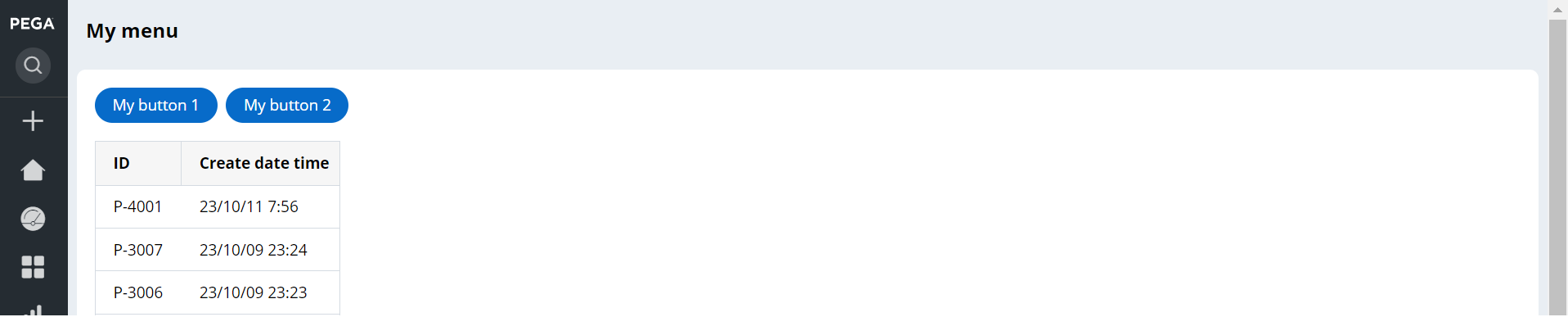
- Pattern 2
2-1. Configuration
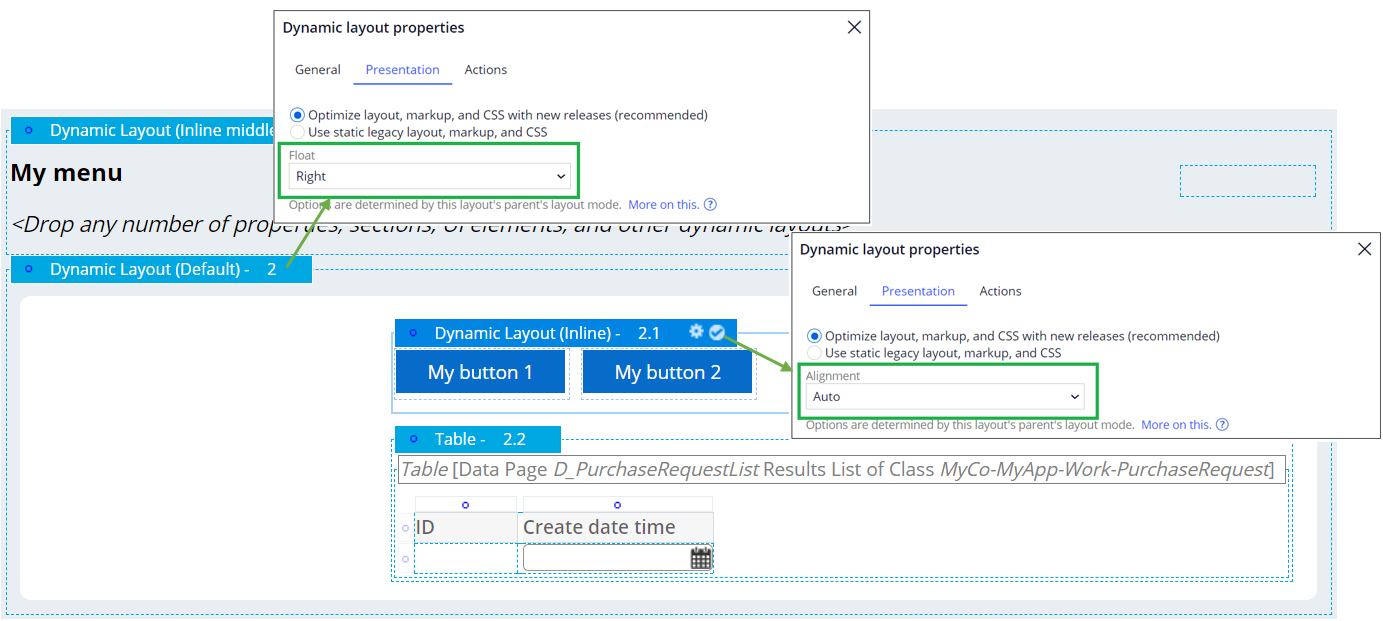
2-2. Results (Not correct)
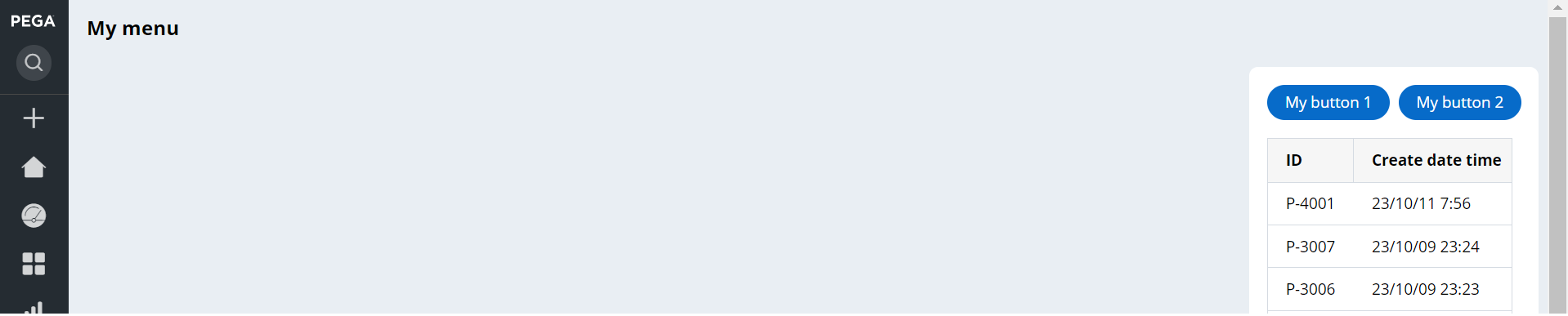
- Pattern 3
3-1. Configuration
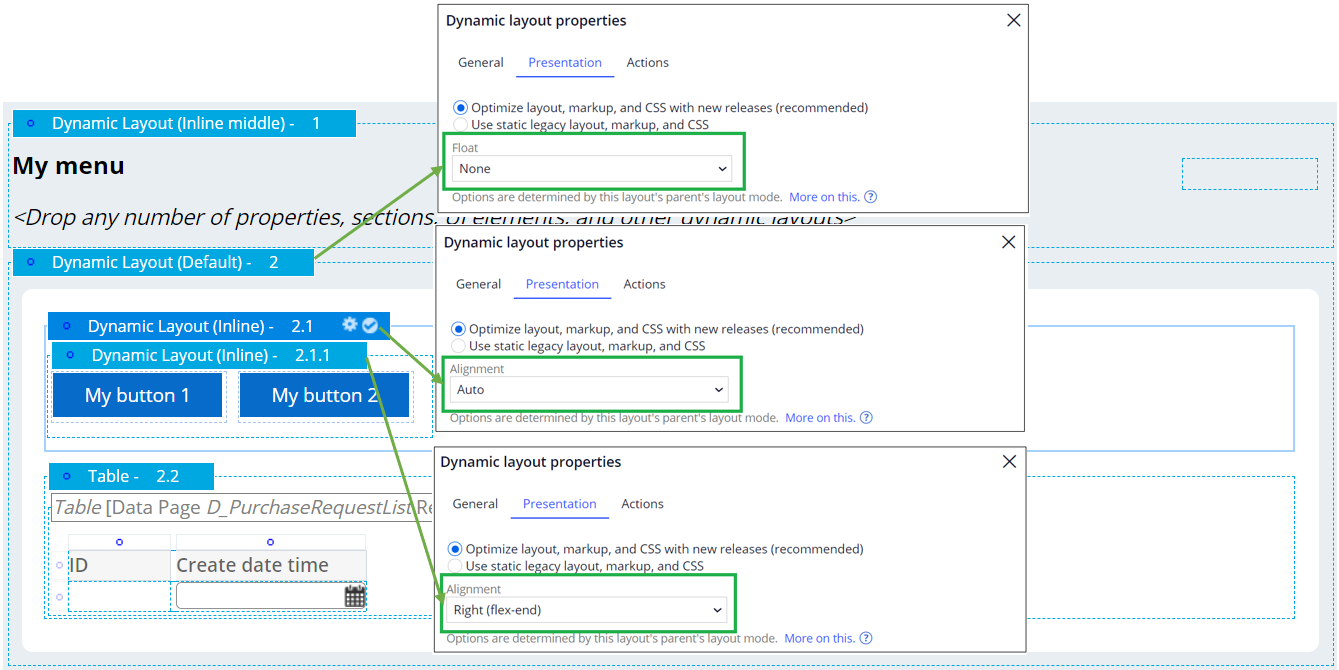
Here are the experiments results:
- Pattern 1
1-1. Configuration
1-2. Results (Not correct)
- Pattern 2
2-1. Configuration
2-2. Results (Not correct)
- Pattern 3
3-1. Configuration
3-2. Results (Correct)
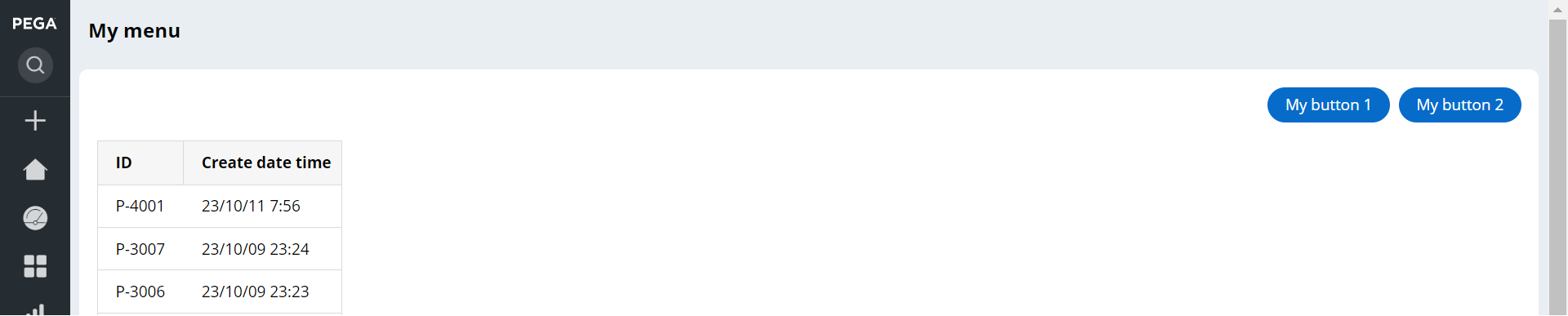
Basically when I added one more Dynamic Layout (this had to be Inline layout format, not Default) between outermost dynamic layout and innermost dynamic layout and configured the innermost layout to alignments "Right (flex-end)", it worked. I do not know if this is the correct configuration, nor do I still understand how things work here... Why pattern 1 doesn't work? Also, when should we use right-aligned in cell read-write / read-only classes options?
Regards,
@ArulDevan
Here are the experiments results:
1-1. Configuration
1-2. Results (Not correct)
2-1. Configuration
2-2. Results (Not correct)
3-1. Configuration
@ArulDevan
Here are the experiments results:
1-1. Configuration
1-2. Results (Not correct)
2-1. Configuration
2-2. Results (Not correct)
3-1. Configuration
3-2. Results (Correct)
Basically when I added one more Dynamic Layout (this had to be Inline layout format, not Default) between outermost dynamic layout and innermost dynamic layout and configured the innermost layout to alignments "Right (flex-end)", it worked. I do not know if this is the correct configuration, nor do I still understand how things work here... Why pattern 1 doesn't work? Also, when should we use right-aligned in cell read-write / read-only classes options?
Regards,